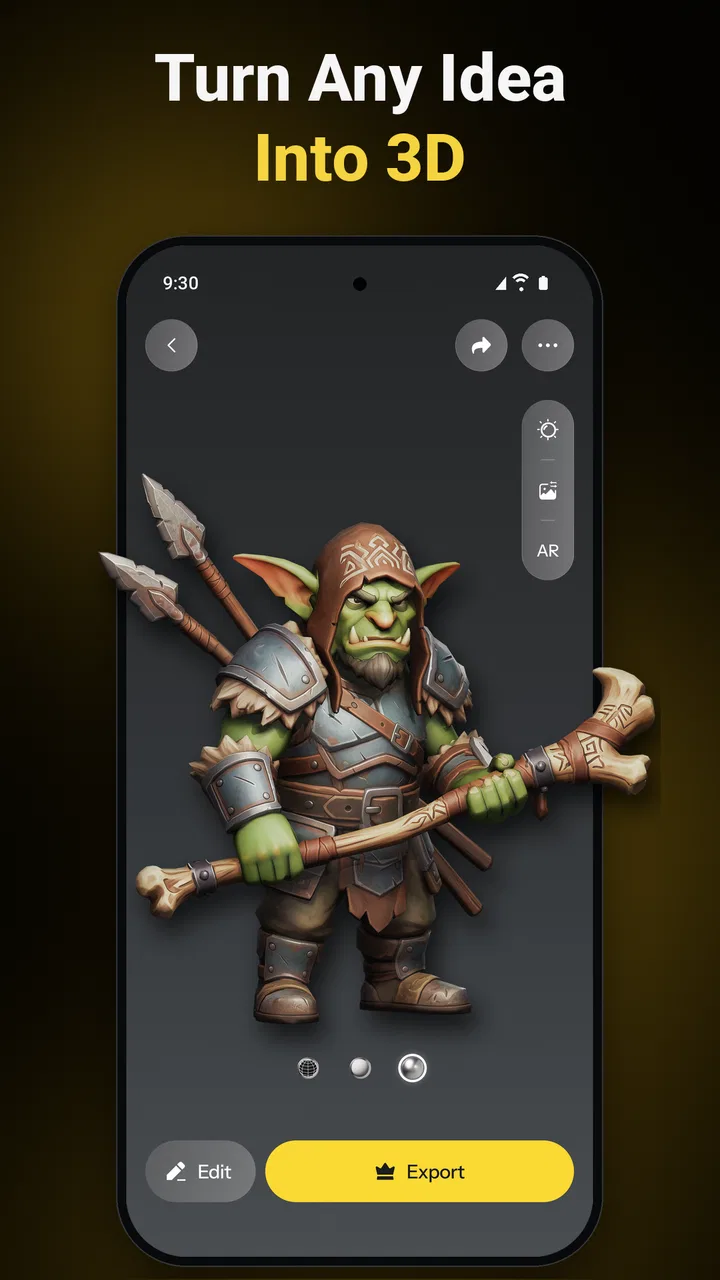
Tripo - AI 3D Model Generator
- 4.4
- Rating
- 500.00K
- Installs
- Free
- Price

 Analysis by App-foxy
I approached Tripo - AI 3D Model Generator as a practical art tool rather than a magic shortcut, and that distinction matters. Its central idea is appealing: describe an object or provide an image, then let artificial intelligence produce a three-dimensional mesh that you can use as a starting point. In my experience, the app is most convincing when I need a fast visual concept, a rough prop, or a shape to develop further. It is less convincing when I need a carefully engineered model that can go straight into a demanding production pipeline.
That makes this free Art & Design app an interesting option for beginners, illustrators exploring 3D, students, and creators who want to test ideas without opening a full desktop modeling package. Tripo AI is the developer, and the app has reached over one hundred thousand installs with a 4.3 average from around five and a half thousand ratings. Those figures suggest a healthy level of interest, but they do not remove the need to understand what kind of work the generator handles well and where manual correction becomes unavoidable.
What the app feels like in real creative work
The most useful way to think about the app is as a rapid blocking tool. Instead of spending a long time building a basic object from primitives, I can begin with a short visual idea and see a three-dimensional interpretation much sooner. That changes the early stage of a project. I am not committing to a final design immediately; I am collecting possible forms, proportions, and silhouettes.
You May Also Like

 Blood Strike: 2.5 Anniversary
Blood Strike’s Loadouts Turn Every Drop Into a Tactical Gamble
A close look at Blood Strike’s custom loadouts: how fast access to signature weapons reshapes its battle royale rhythm, rewards preparation, and narrows the gap between fights.

 Pandora - Music & Podcasts
Pandora’s Music Is Easy to Start, but Harder to Recover
Pandora’s strength is its low-effort path from a seed to a station. Its weak spot is how much confidence it asks you to place in connection, setup, and quiet recovery.

 8 Ball Pool
 Is Built on Rivalries, Rematches, and Routine
A close look at the rivalries, rematches, shared routines, and unanswered safety questions that turn a quick pool match into a persistent mobile community.

 Samsung Music
’s Quiet Strength Is Playing What You Already Own
Its reach comes less from spectacle than from dependable access to a personal library. That simplicity is both the app’s strongest retention engine and its ceiling.

 AccuWeather: Weather Radar
AccuWeather Review: A Quick, Clear Forecast for Everyday Decisions
For everyday plans, the best forecast is the one you can understand quickly. AccuWeather makes rain timing, radar, and local conditions easy to act on, with a few trade-offs.

 Hill Climb Racing
Why Hill Climb Racing Still Turns Crashes Into One More Run
A tiny car, a bumpy hill and one more upgrade: Hill Climb Racing keeps resurfacing because its simple chaos makes every near-miss feel personal.
More From Our News Desk
View All News


Text input is particularly helpful when the subject is easy to describe but difficult to sketch from several angles. A phrase about a stylized lantern, a fantasy helmet, or a small piece of furniture can produce a visual direction that would otherwise require multiple rough drawings. Image input serves a different purpose. It can help turn a visible reference into a starting point, although the result should be treated as an interpretation rather than a precise duplicate.
The strongest benefit is speed during exploration, not automatic perfection. That is the point at which I found the app most valuable. When I am unsure whether an idea deserves a full modeling session, generating a few alternatives gives me something concrete to judge. A silhouette that sounded good in words may look awkward in three dimensions, while an unexpected result may reveal a better direction.
The app is also approachable for people who have never learned traditional 3D software. Conventional modeling tools offer far more control, but they also ask users to understand cameras, topology, object transforms, materials, and editing workflows. Tripo lowers the first barrier by allowing the user to begin with language or an image. That does not replace learning 3D, but it provides a gentler first step.
Why text-to-3D and image-to-3D serve different needs
Text generation works best when the goal is invention. I can describe a broad concept and compare several interpretations without first creating a reference image. The trade-off is that natural language is imprecise. Words such as “ornate,” “compact,” or “realistic” can influence the result, but they do not guarantee exact dimensions, construction logic, or a consistent design language.
Image-based generation is more useful when I already have a visual target. A product photograph, a drawing, or a concept image can provide stronger guidance than a short prompt. Even then, one view cannot fully communicate hidden surfaces. The back of an object, the underside, and small structural details may be guessed by the system. I would therefore use image input to establish the overall identity of an object, not to promise a faithful all-angle reconstruction.
A practical workflow is to create several versions instead of expecting the first attempt to be correct. I would begin with a simple description or clean reference, inspect the overall proportions, and then choose the version with the best silhouette. If the model is only being used for a concept board or visual pitch, that may be enough. If it will be animated, printed, or edited closely, I would plan on additional work outside the app.
Everyday scenario: turning a rough idea into a usable visual
Imagine I am preparing a small presentation for a game concept and need a distinctive treasure chest. I may know the mood—weathered wood, metal corners, an unusual lock—but I do not yet have a finished design. With a text prompt, I can quickly explore different shapes and decorative directions. The resulting mesh gives me a way to discuss the idea with a collaborator instead of explaining everything verbally.
In that situation, the app saves time because the purpose is communication. I am not asking it to deliver a production-ready asset. I am using it to answer questions: Is the chest too large and heavy-looking? Does the lid shape make sense? Does the lock become the focal point? A conventional modeling application would offer finer control, but it would take longer to reach the first useful visual.
For a different scenario, such as preparing a precise replacement part for fabrication, I would choose a measured modeling tool instead. A generated object can look plausible while still having unsuitable proportions or hidden geometry. Visual plausibility and functional accuracy are not the same thing, and this app is better suited to the former.
Where the generated meshes help most
I found the concept stage to be the clearest strength. Artists can use generated forms as references, then remodel them with cleaner topology or a more deliberate style. Writers and designers can create visual material for presentations. Hobbyists can turn an idea into something they can inspect from different angles. Educators can use the process to show how a verbal description becomes a spatial object, while also teaching students to question the result rather than accept it blindly.
The app can also help with variation. A single idea can be approached from several stylistic angles, and comparing those options is often more productive than polishing one uncertain sketch. This is a subtle advantage: the generator is not only producing models, it is helping me make design decisions earlier.
Another useful insight is that simplicity often improves the starting point. A prompt focused on one main object is easier to evaluate than a crowded description containing several subjects, complex scenery, and conflicting styles. If I need a character holding equipment in a detailed environment, I would separate those tasks where possible. Generating the main object first gives me a cleaner base and makes mistakes easier to identify.
The friction that appears after the first exciting result
The first generated mesh can create an impressive impression because a recognizable object appears quickly. The harder question is what happens when I inspect it closely. AI-generated geometry may contain uneven surfaces, awkward transitions, or details that look convincing from one angle but break down from another. Those issues are manageable for a rough concept, yet they become important when the model must be edited, animated, textured, or manufactured.
This is the app’s meaningful weakness: it reduces the time needed to get a result, but it does not eliminate the judgment and cleanup required to make that result dependable. A beginner may assume that a visible mesh is automatically ready for every purpose. I would not make that assumption. The more technical the final use, the more carefully I would inspect the object in another 3D application.
There is also a creative limitation. Generated forms can feel visually familiar, especially when the prompt is broad. If I want a strong personal style, I need to guide the process with clear references and then make deliberate changes afterward. Otherwise, the result may be serviceable without feeling truly designed.
The free entry point is welcome, but users should pay attention to the app’s purchase model. Tripo is free to install, while in-app purchases range from $15.99 to $89.99 per item. That does not make the app unsuitable, but it does mean I would test the basic workflow before spending money. The value depends on how often I generate models, how much refinement I need, and whether the output saves enough time in my particular process.
How it compares with ordinary alternatives
Compared with traditional mobile drawing apps, Tripo offers a more spatial way to think. A sketch can communicate an idea quickly, but a mesh lets me consider volume, silhouette, and viewpoints that a flat image cannot show. The cost is reduced control. A drawing app allows me to place every line exactly where I want it, while the generator interprets my request and may make choices I did not intend.
Compared with full desktop 3D software, this app is faster to approach and much less intimidating at the beginning. Desktop tools remain the better choice for exact modeling, clean topology, detailed sculpting, rigging, animation, and carefully managed assets. Tripo is not a replacement for those applications; it is closer to an idea accelerator that can feed them with rough material.
Compared with manual modeling on a phone or tablet, the advantage is obvious when the subject is complex or when I want several options quickly. Manual work wins when precision, repeatability, and personal control matter more than speed. The right choice depends on whether I am trying to discover a design or execute a design that is already settled.
Who should use it, and who should skip it
I would recommend the app to beginners who want a friendly introduction to 3D concepts, provided they understand that generation is only the first stage. It is also a good fit for concept artists, indie creators, educators, and anyone who regularly needs rough objects for visual planning. If I were preparing a mood board, testing a prop idea, or building a quick reference for a scene, I would consider it a useful addition to my toolkit.
It is less suitable for someone who needs exact mechanical parts, production-ready topology, dependable symmetry, or a controlled asset library. Professionals with established modeling pipelines may still find value in rapid ideation, but they should judge the app by the time it saves after cleanup, not by the speed of the initial generation.
The age rating is Everyone, which makes the app broadly accessible from a content standpoint. The technical requirement is Android 7.0 or later, so compatibility should be straightforward for many Android users. The current release is version 1.6.4, and the app was released on January 27, 2026. I would still keep expectations realistic: broad accessibility does not mean every user will find the generated geometry equally useful.
Small workflow choices that improve the experience
I would start with a single subject, a clear purpose, and a restrained description. Instead of asking for an entire scene, I would first generate the central object, inspect its proportions, and only then think about surrounding elements. This makes it easier to tell whether a problem comes from the concept itself or from an overloaded request.
For image input, I would choose a reference with a clear outline and minimal visual clutter. A busy image can make it harder to judge whether the generated model is following the object or borrowing irrelevant shapes from the background. I would also check the result from several viewpoints before deciding that it is successful.
Finally, I would save the app’s output as an intermediate asset in my mind. I would not throw it directly into a final project without inspection. A quick pass in a conventional 3D tool can reveal whether the mesh is suitable for the intended use, and even when the geometry needs replacement, the generated form may still be valuable as a proportion reference.
These habits also answer a common practical question: can a newcomer use the app without already being a 3D expert? Yes, for exploration. The learning curve is gentler than starting with a complex modeling suite, but users who want to edit or finish the models will eventually benefit from basic knowledge of meshes, scale, surfaces, and file workflows.
My final assessment
Tripo AI succeeds because it makes the first step into 3D feel immediate. I can move from an idea or image to a tangible form quickly, compare directions, and decide whether a concept deserves more attention. That is a meaningful advantage, especially on a mobile device and for creators who would otherwise postpone 3D work because traditional tools feel too demanding.
My recommendation is therefore specific: use it as a fast concept generator and a source of rough 3D material, not as a universal replacement for modeling software. Its best results come when I bring creative judgment, inspect the mesh carefully, and accept that refinement may be necessary. If that workflow matches your needs, the free app is worth trying before considering its optional purchases. If your priority is exact geometry or final-production control, a conventional 3D package remains the stronger choice.
For me, the app’s real value is not that it finishes every model in seconds. It is that it helps turn vague ideas into visible objects quickly enough to make better creative decisions. That is a narrower promise than effortless professional modeling, but it is also a more honest and useful reason to keep it installed.
FAQs for Tripo - AI 3D Model Generator
01What is Tripo - AI 3D Model Generator?
Tripo - AI 3D Model Generator is an innovative app that uses artificial intelligence to create 3D models from 2D images. It's designed for both beginners and professionals in fields like gaming, design, and virtual reality. The app allows users to transform simple sketches or photos into fully-realized 3D models with ease.
02How easy is it to use Tripo for beginners?
Tripo is designed with user-friendliness in mind, offering a straightforward interface that requires no prior experience in 3D modeling. The app includes tutorials and guides to help new users get started quickly. Its AI-driven features simplify the modeling process, allowing beginners to produce professional-quality models without a steep learning curve.
03What devices are compatible with Tripo?
Tripo is available for both Android and iOS devices, ensuring broad compatibility across various smartphones and tablets. The app is optimized for the latest operating systems, providing a smooth and responsive experience. Users should ensure their device meets the minimum system requirements for optimal performance.
04Are there any in-app purchases or subscriptions in Tripo?
While Tripo offers a free version with basic features, it also includes optional in-app purchases and subscription plans. These provide access to advanced tools, premium models, and additional storage. Users can choose the plan that best suits their needs, whether they use the app for casual or professional purposes.
05How does Tripo handle user data and privacy?
Tripo prioritizes user privacy and data protection. The app adheres to strict privacy policies, ensuring that user data is securely stored and not shared with third parties without consent. It also provides users with control over their data, allowing them to manage or delete their information as needed.
Pros
- Creates detailed 3D models quickly.
- Intuitive interface for easy navigation.
- Supports multiple export formats.
- Efficient AI-driven model generation.
- Minimal learning curve for beginners.
Cons
- Requires consistent internet connection.
- Limited free version features.
- Occasional lag on older devices.
- High-quality exports can be large files.
- Subscription model for premium features.

Tripo - AI 3D Model Generator
Gallery